
Core Survival Mechanics
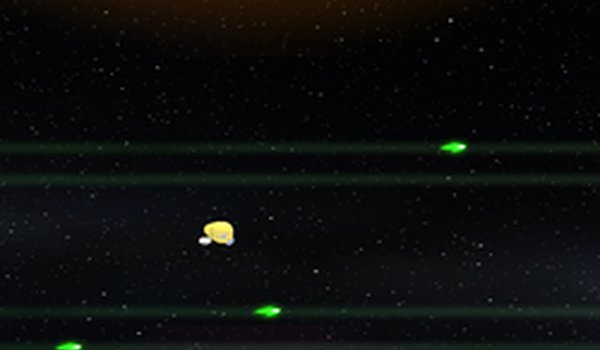
ShardStorm places you in a single-screen arena where shards continuously push inward from every edge. Your only job is to keep your character from being shoved off the screen. Movement is handled entirely with the W, A, S, D keys or the arrow keys, so there is no mouse aiming or button mashing. The twist is that you earn points not by destroying shards, but by letting them exit the field of view. Each shard that leaves the screen adds one point to your score. That design flips the usual arcade instinct: you are not hunting enemies, you are managing space and timing so shards pass by without clipping your character. The game ends the moment a shard pushes you off the screen, which makes every second a test of positioning rather than reflexes alone.Four Difficulty Tiers
ShardStorm offers Easy, Medium, Hard, and Expert modes. Each step up increases both the speed and the number of shards, so the arena becomes progressively more crowded. Easy mode gives you room to learn how shards travel and how much space you need to dodge. Expert mode leaves very little margin for error. Because the core rules never change, the difficulty settings act as a clean skill ladder: you can practice the same survival logic at a comfortable pace, then move up when your movement decisions become more consistent. High scores are tracked separately for each difficulty, so progress on Easy does not inflate your standing on Expert.Movement and Scoring Strategy
Small, controlled steps work better than long dashes. A large move can carry you directly into a shard you did not see, while short taps let you adjust position without committing. Watching the edges of the screen matters more than watching your character, because shards always enter from the perimeter. Staying near the center gives you the most room to react in any direction, but it also means shards have farther to travel before they exit, so you need to balance safety against scoring opportunities. The high score counter for each difficulty gives you a clear target, and because the game is keyboard-only, the barrier to entry is low for players of all ages.Presentation and Audience
ShardStorm is designed as a family-friendly arcade experience. There is no graphic content, no complex story, and no need to learn multiple control schemes. The challenge comes entirely from spatial awareness, quick decisions, and steady hands. Players who enjoy classic avoidance games, score chasing, or short sessions that reward improvement will find the structure familiar. The lack of mouse or touch controls keeps the experience consistent across keyboard setups, and the four difficulty levels let younger or newer players start slowly while experienced players push for higher scores on Expert.Editorial Notes
Compatibility
✅ This game supports:
- Desktop browsers (Chrome, Edge, Safari)
- Mobile browsers (Chrome on Android, Safari on iOS)
❌ Does NOT support: - Internet Explorer - Very old browser versions
👉 Try refreshing or updating your browser
COMMENTS
0 comments