
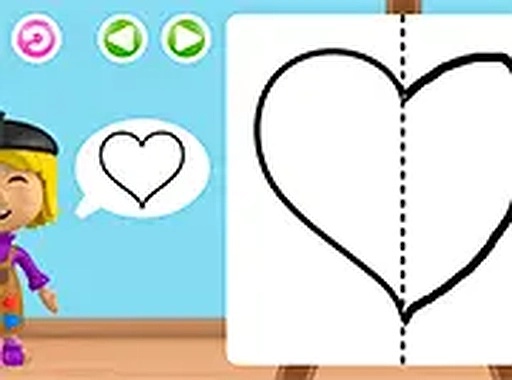
How the Tracing Activity Works
Alice's Creative Sketch Adventure centers on a single, clear task: completing pictures by tracing their outlines. Each image appears as an incomplete path, and players fill it in by dragging a finger or mouse along the displayed line. Gentle visual cues indicate where to begin and which direction to follow, so children are never left guessing. The result is a finished picture that feels earned rather than automatic. Because the game runs in a web browser, it works on desktops, laptops, tablets, and smartphones without installation.
Progression Without Pressure
Picture-completion tasks are arranged in a sequence. Early outlines use thick, simple lines that are easy to follow. Later images introduce curves and multiple segments, asking for steadier hand control. This step-up in difficulty keeps the activity engaging without introducing timers, scores, or fail states. Children move to the next picture when they are ready, which removes the frustration that often accompanies timed challenges. The absence of scoring also means there is no penalty for an imperfect trace, reinforcing the idea that making something is the goal.
What Children Practice
The tracing motion itself is the core exercise. Following a path with a finger or mouse strengthens hand-eye coordination and spatial awareness, two skills that carry over to handwriting and other fine motor tasks. Since each picture has a defined start and end point, children also practice following instructions and completing a task independently. Parents looking for constructive screen time will find that the game's structure supports these developmental goals without advertisements interrupting play.
Creative Ownership and Repeat Play
After a trace is finished, the completed artwork remains visible. That moment of seeing a self-made picture gives children a sense of ownership over the result. The game does not demand a perfect copy; it emphasizes the act of making. This balance between guided lines and personal expression encourages children to return to earlier pictures or attempt new ones. A full-screen option removes visual distractions, helping young artists concentrate on the current outline.
COMMENTS
0 comments