
Game Introduction
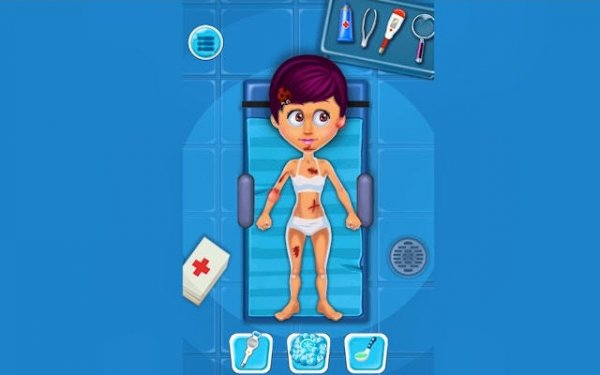
Kids Clinic Doctor Simulator is an online game designed for young children who dream of becoming a doctor. The game invites players to step into the role of a caring physician in a bright and friendly clinic. The core objective is to treat a variety of young patients, helping them feel better through simple medical procedures. What makes this game special is its focus on empathy and nurturing, providing a safe and educational environment where kids can learn about healthcare in a playful way. It sparks curiosity about the medical field while promoting kindness and responsibility. The clinic environment is cheerful and welcoming, encouraging children to engage with the tasks at hand. The game aims to teach basic health concepts without being overwhelming, making it suitable for early learners. By focusing on gentle care and positive outcomes, it creates a stress-free introduction to medical themes.
How to Play
Playing Kids Clinic Doctor Simulator is intuitive and child-friendly. Players start by entering their clinic, where patients arrive one by one with different ailments. Using simple touch or click controls, young doctors select appropriate medical tools—such as a thermometer, bandage, or stethoscope—and apply them to the patient as guided. The gameplay involves observing the patient's symptoms, choosing the correct treatment, and completing the care process. Each successful treatment brings a smile to the patient's face and fills a progress meter. As players advance, they encounter new cases and unlock additional items, keeping the experience engaging and rewarding. The controls are designed to be easy for young children, using simple taps or clicks.
Game Features
This game includes a variety of lovable child patients, each with distinct needs that require attention. The controls are designed to be easy for young children, using simple taps or clicks. A progressive system introduces new medical challenges gradually, helping players build confidence. Positive feedback, such as smiles and encouraging messages, reinforces each success. The game may also feature a colorful and cheerful clinic environment, along with basic medical tools that teach children about healthcare in a fun way. These elements combine to create an immersive and educational experience.
Tips for Success
To excel in Kids Clinic Doctor Simulator, take your time to observe each patient's symptoms carefully before choosing a tool. Follow the on-screen guidance to ensure you apply the correct treatment. Practice regularly to become faster and more accurate, which will help you handle more complex cases. Remember that each patient is unique, so stay attentive and kind. Most importantly, enjoy the process of helping others—it's the heart of the game. With patience and a caring attitude, you'll become a top doctor in no time.
COMMENTS
0 comments