
Game Introduction
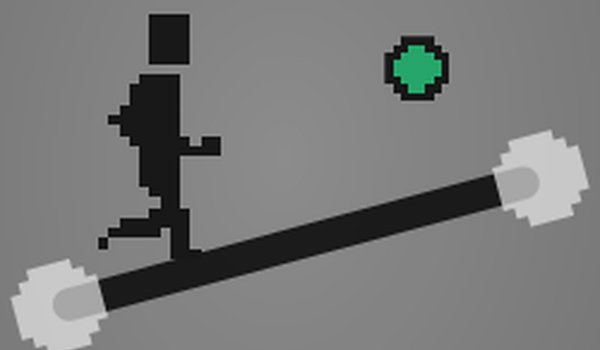
Link It Up Puzzle Platformer combines classic side-scrolling action with line-connecting puzzles. Players guide a character through various levels by linking lines to create pathways. Each level blends jumping, running, and problem-solving, offering a fresh challenge suitable for all ages. The simple controls and colorful pixel art design make it easy to pick up, while increasing difficulty keeps you engaged. It is a safe, non-violent experience that encourages creativity and logical thinking.
How to Play
Players typically use keyboard keys to move the character left and right across the side-scrolling environment. With the mouse, you can draw or move lines to create a path for the character to follow. If you make a mistake, you can reset the line and try again. Some levels may include interactive elements like switches that open doors or activate other objects. The goal is to reach the end of each level by solving puzzles and avoiding obstacles.
Game Features
This game offers a blend of platforming and puzzle mechanics. It features simple keyboard and mouse controls, making it accessible for all ages. Collectible items are hidden throughout the levels, encouraging exploration. Players can skip levels and return later to find missed items. The pixel art style and relaxing gameplay make it a retro-inspired experience that can be enjoyed in short sessions.
Tips for Success
Take your time to observe each level before moving. Plan your line connections carefully to avoid obstacles. Explore every area to find hidden collectibles that may help you later. If you get stuck on a level, consider skipping it and returning later with a fresh perspective. Practice using both keyboard and mouse controls to improve your coordination and speed.
COMMENTS
0 comments