Art Coloring Pages 60 Online Game
Reviews
Tattoos Coloring Pages 60 provides a satisfying creative outlet with over 60 unique designs. The coloring tools are responsive and easy to use, allowing for detailed work or broad strokes. The lack of time limits encourages unhurried exploration. It is a calming activity that offers good replayability, as each design can be colored differently. Suitable for both kids and adults seeking a digital art experience.
About This Game
Game Introduction
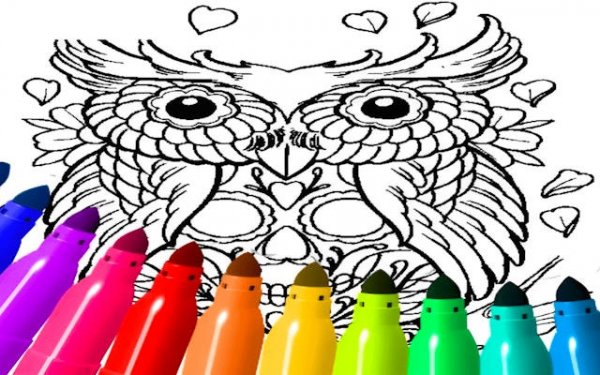
Art Coloring Pages 60 Online Game is a free digital coloring experience designed for creativity and relaxation. It offers a collection of over 60 unique, tattoo-inspired designs that include detailed portraits, symbolic patterns, and abstract art. Accessible directly through any HTML5 browser without the need for downloads, this puzzle game is suitable for players of all ages. Whether you are an aspiring artist or simply looking for a mindful break, this game provides a calming activity that reduces stress and sparks imagination.
How to Play
To begin, click the Play button to enter the main gallery. Browse through the collection of over 60 tattoo designs and select one that inspires you. Use the intuitive toolbar to choose colors, adjust brush sizes for fine details or broad strokes, and apply textures for added depth. There are no rules or time limits, so you can experiment freely. Undo strokes as needed and use special effects to create a personalized masterpiece. Once finished, save your artwork to share with friends or revisit later. The simple interface ensures anyone can start coloring immediately.
Game Features
This game includes an extensive design library with over 60 tattoo pages. It features an advanced coloring toolkit with adjustable brush sizes and textures. The game is designed for universal accessibility, making it suitable for both kids and adults. It offers stress-free creative play without rules or time limits. Platform flexibility is provided through HTML5 browser support, allowing play on various devices without downloads.
Tips for Success
To get the most out of your coloring experience, take your time exploring the different designs and experiment with various color combinations. Use the undo feature to try different approaches without worry. Adjust brush sizes to add fine details or cover larger areas efficiently. Save your progress regularly so you can return to your artwork later. Most importantly, relax and enjoy the process—there is no right or wrong way to color.
Compatibility
System Requirements